Markets And Event Pages
The web terminal offers broad market browsing plus deeper event pages.
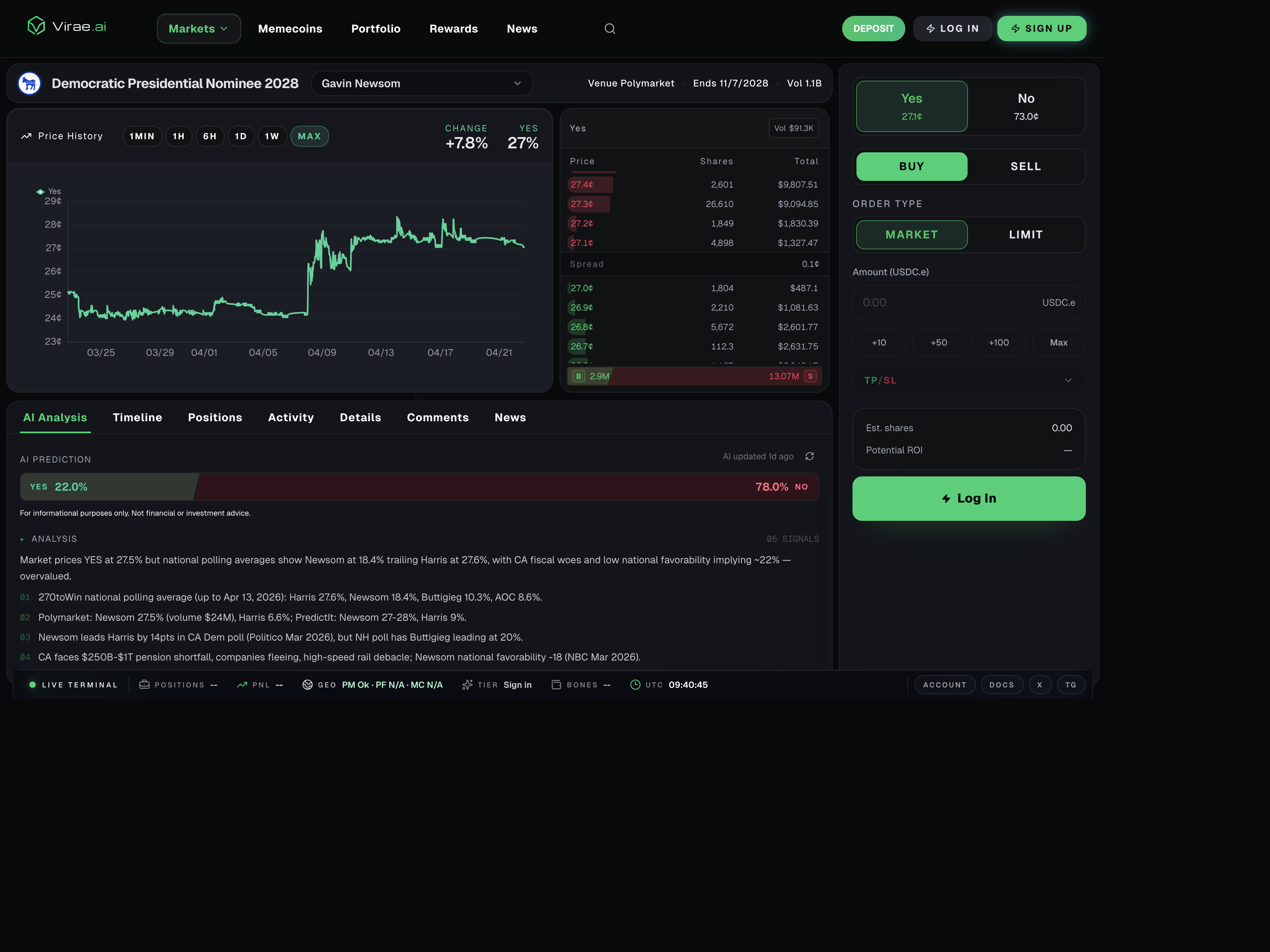
The current event view shows the shift from broad discovery into decision context: venue, end date, price history, and live orderbook depth all become visible on a single page.
Best way to use this area
Use Markets when you want breadth.
Use event pages when you want depth.
That distinction matters because Virae is designed to let users move from broad discovery into detailed event context without pretending the first list view is enough to make a trading decision.
Markets
The Markets area is the widest discovery surface for prediction-market browsing across categories such as sports, politics, finance, weather, and crypto.
Typical reasons to start here:
- you want to browse categories
- you want to compare multiple events quickly
- you are still deciding what product area to focus on
Event pages
When you open a market in depth, Virae can show an event page with multiple context layers, including:
- AI analysis
- timeline
- positions
- activity
- details
- comments
- related news
Typical reasons to open an event page:
- you want more context before trading
- you want to inspect event-specific positions or activity
- you want analysis and related information in one place
Why this matters
Event pages help users understand what they are trading, not just where to click.
Common mistake
Users sometimes stay in the broad feed and expect it to answer every question needed for execution. In practice, the event page is often the better place to decide whether an opportunity is actually worth acting on.