Insights, Whale Monitor, And News
Virae's web terminal includes research-oriented surfaces beyond direct trading.
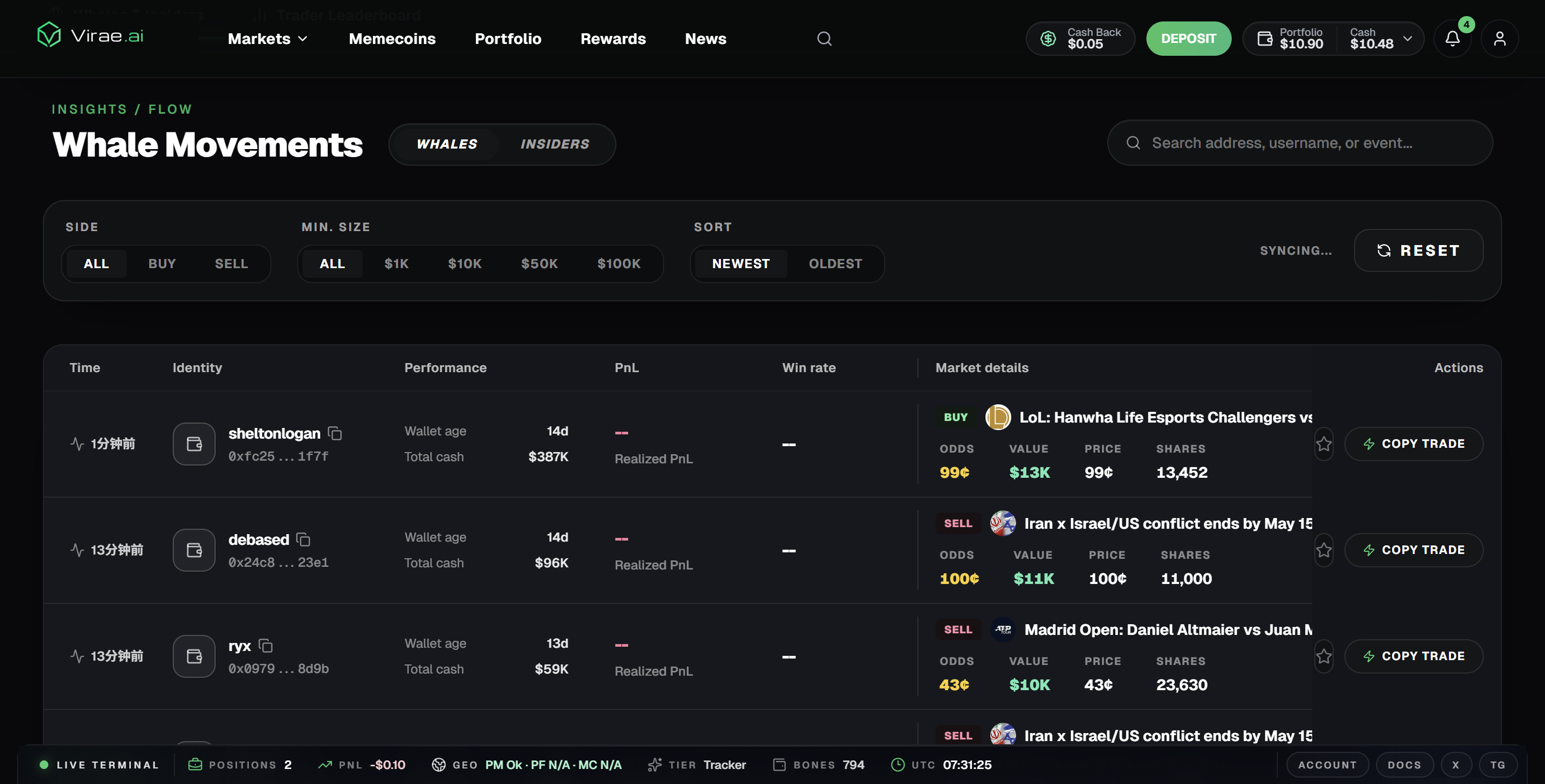
The Whale Movements view under Insights / Flow shows real-time large trades across prediction markets. Each row displays the trader identity, wallet age, total cash, realized PnL, win rate, and the specific market traded — with side (BUY/SELL), odds, value, price, and share count visible at a glance. A Copy Trade button lets you act on any whale move directly from this view.
Current Insights surfaces
The Insights area includes:
- Trader Leaderboard
- wallet and address analysis
- Flow
- Insiders
- Whale Positions
- Whale Trades
- Whale Trades Analytics
- Whale Trades Live Feed
AI Wallet Match lives under Copytrading and uses trader data to help discover possible copy-trading candidates.
The exact data available can vary by market, upstream source, and cache freshness.
How to use it
Use Insights to find context, not to outsource judgment. A wallet, trader, or market signal can be useful without being a guaranteed trade.
Read next
Insights
Insights pages help users monitor tracked flow and trader behavior. Whale and insider views surface observed activity from tracked wallets, while address analysis and leaderboards provide wallet-level context.
Whale monitor and related views
Filter by side (All / Buy / Sell) and minimum size ($1K, $10K, $50K, $100K) to focus on the signal that matters. Sort by Newest or Oldest to track momentum or look for reversals.
These surfaces are designed for users who want context from observed market activity rather than only reading a price or orderbook in isolation.
News
News and related context help connect market moves to broader narratives without forcing users to leave the product.
Why these live on web
These areas benefit from richer layout and cross-panel context, which makes the terminal a better fit than chat.