Natural Language Usage
PredictDog's Telegram bot accepts plain-language instructions alongside commands and menus.
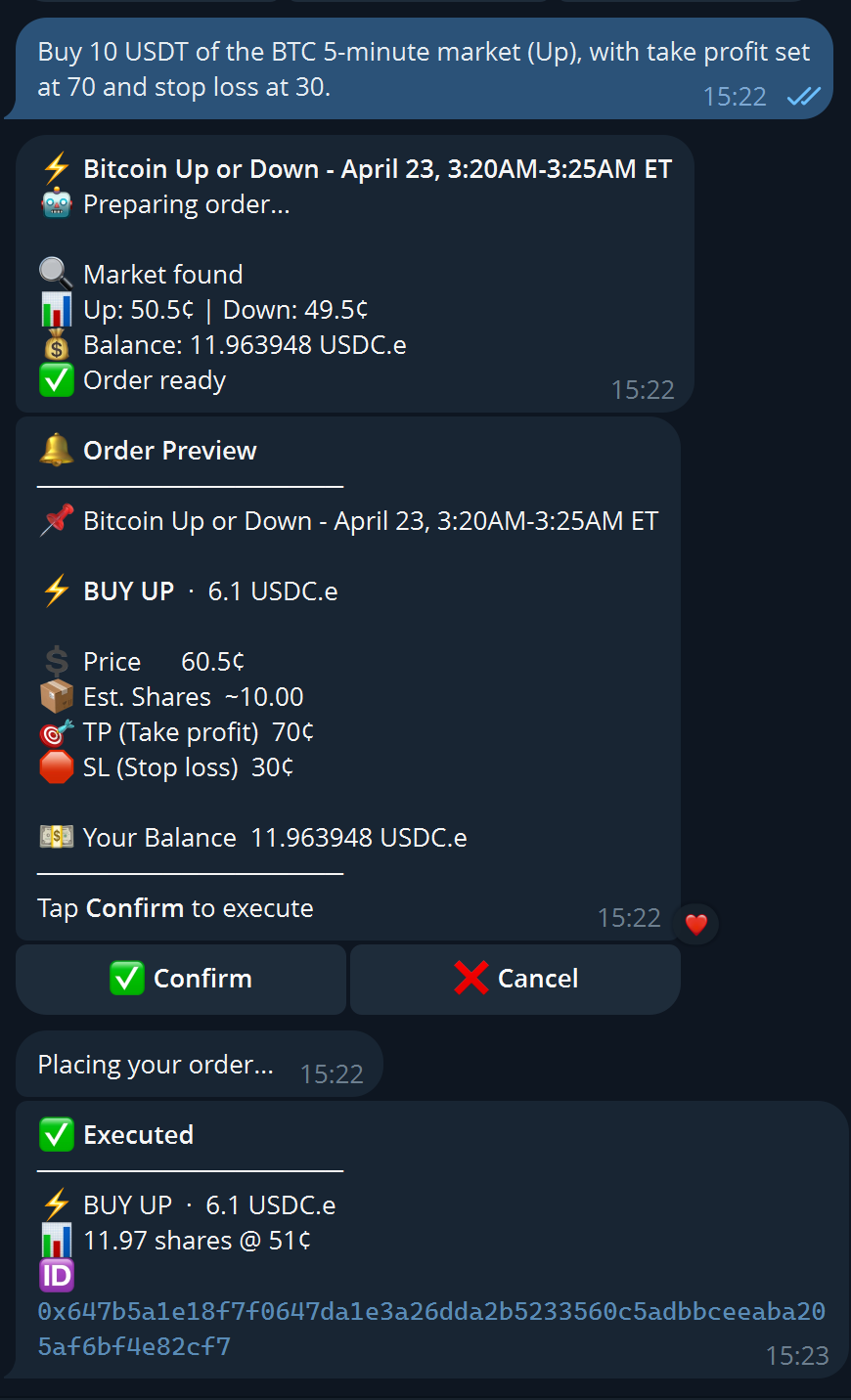
Sending a plain-language instruction like "Buy 10 USDT of the BTC 5-minute market (Up), with take profit set at 70 and stop loss at 30" triggers a full order flow: market lookup, balance check, structured Order Preview, and one-tap Confirm or Cancel — no commands needed.
Best way to start
Start with short intents such as:
my positionsmy balanceopen ordersbitcoin markets
Once you see how the bot responds, move into more targeted trade or market requests where supported.
URL + command trading
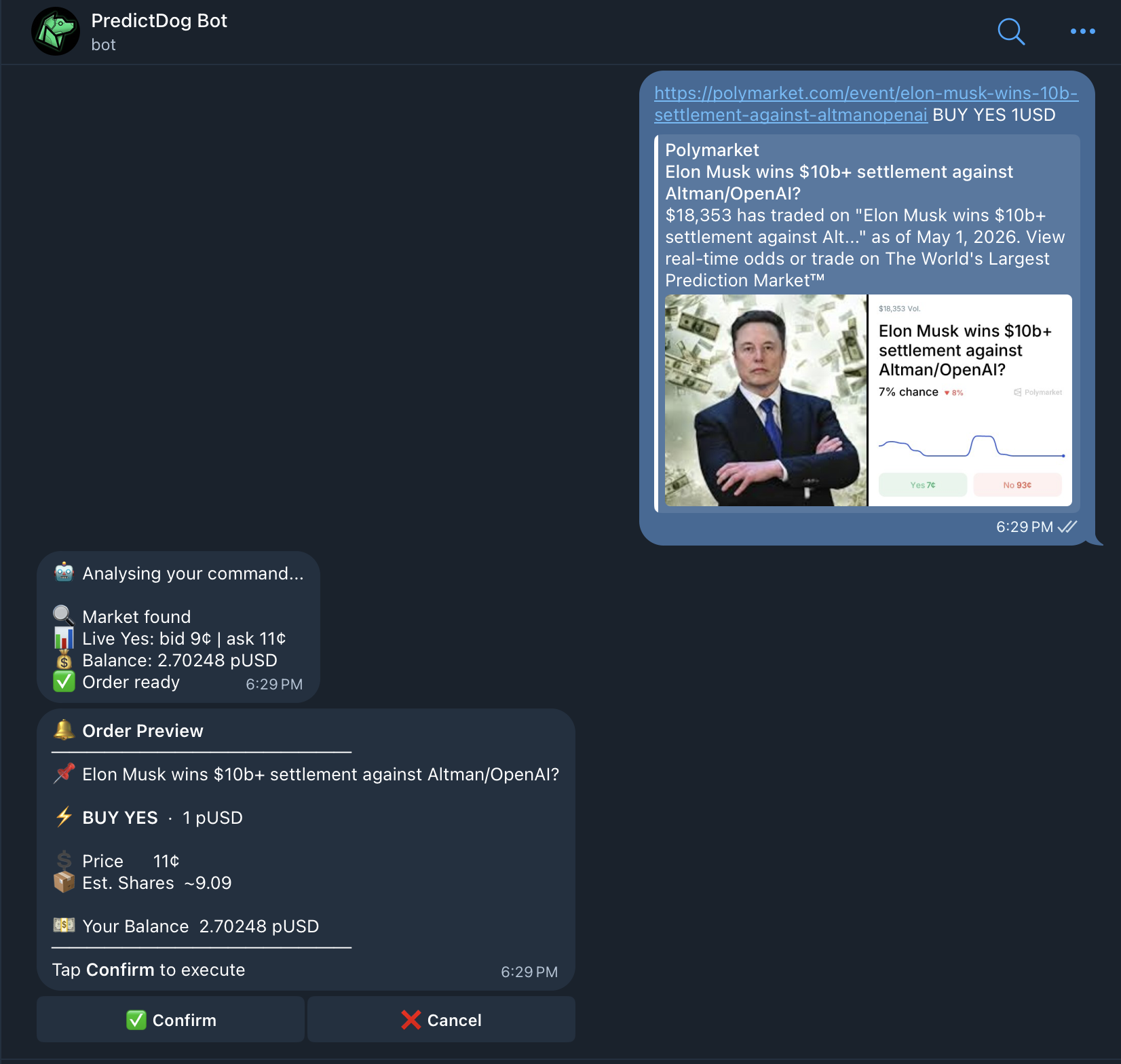
The fastest way to trade a specific market is to paste the Polymarket URL directly into chat, followed by a trade instruction on the same message.
Format: <market URL> <instruction>
Examples:
https://polymarket.com/event/btc-100k buy yes 50
Buy YES with 50 USDC.e
https://polymarket.com/event/btc-100k buy no 10 shares
Buy 10 NO shares
https://polymarket.com/event/btc-100k sell yes 5 shares
Sell 5 YES shares
https://polymarket.com/event/btc-100k buy yes 68000
For multi-outcome events, the number matches the relevant sub-market (e.g. the outcome closest to 68000)
Pasting a URL without a trade instruction opens the event view so you can browse before deciding.
Intent phrases
The bot also understands free-text queries without a URL. Supported intent categories and example phrases:
Positions
my positionswhat do I hold我现在持仓
Balance
my balancehow much USDC do I have余额
Open orders
open orderspending orders未成交订单
Market search
bitcoin marketsUS election 2025BTC 5m price markets
Language is detected per message. English, Chinese, Korean, and Spanish are all supported.
When to use natural language vs. commands
Use natural language for quick account queries, market search, and URL-based trades.
Use commands or menus when a specific venue flow requires it (Predict.fun, Memecoins), when the bot asks for an explicit choice, or when a flow depends on state the bot shouldn't infer.
Natural language depth varies by venue. If the bot routes you to a menu or web, that flow is intentionally explicit.