Quickstart For Web
This is the fastest way to get started in the Virae web terminal.
Recommended first session
If you want the shortest low-friction path, use this sequence:
- Browse the landing page and markets briefly.
- Create or log into your account.
- Open Portfolio to understand your current state.
- Resolve any setup or funding prompts before trying to trade.
- Choose one product surface to learn first.
1. Open the web app
Go to the Virae web app and browse the public landing and market surfaces first if you want a feel for the product before signing in.
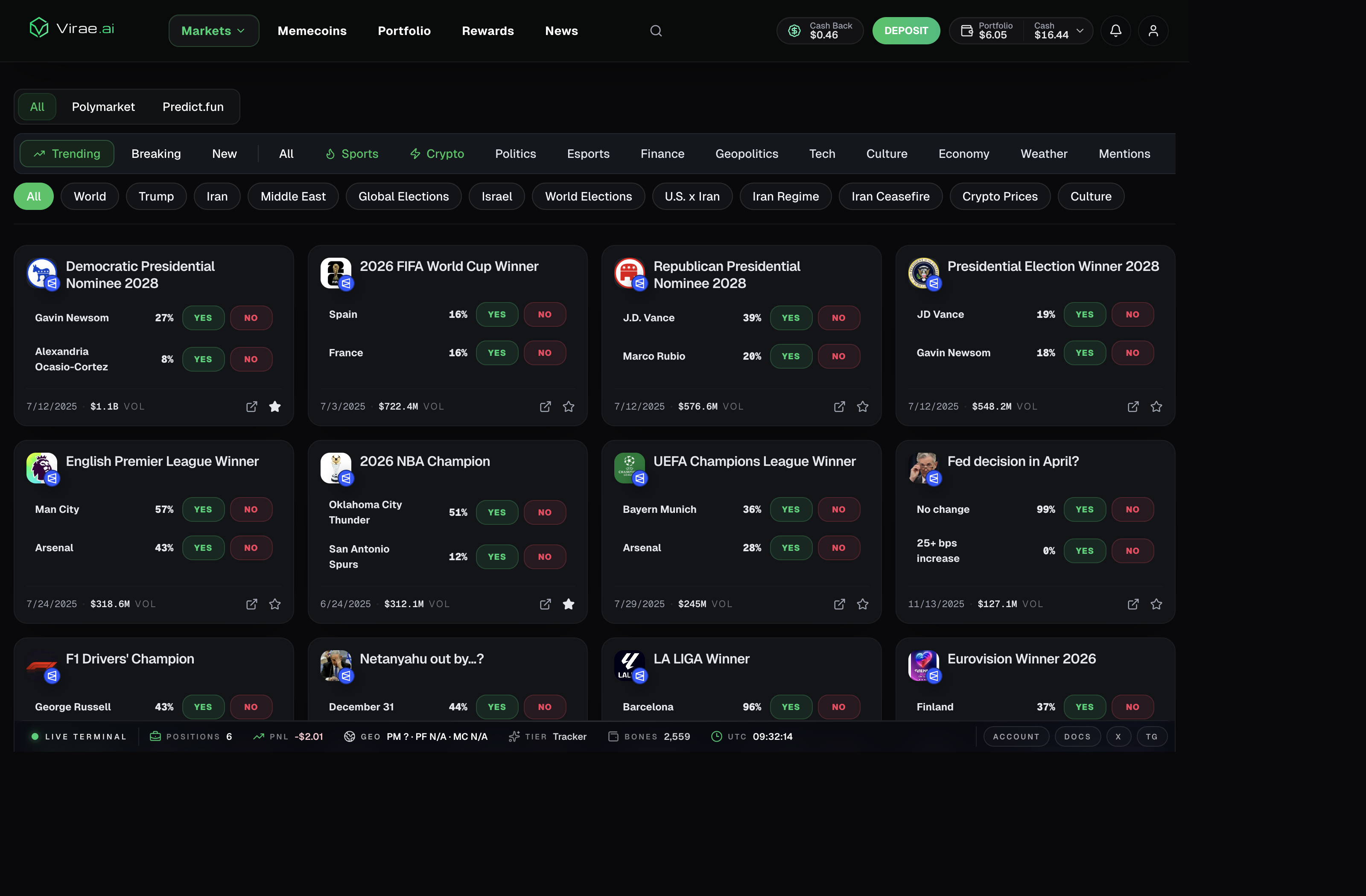
This is the current web terminal view users typically enter after clicking into the product: top navigation, market feeds, venue filters, category browsing, and account-linked actions such as rewards, deposit, and portfolio.
2. Create an account or log in
Virae uses dedicated web auth routes:
- use sign up if you are new
- use log in if you already have an account
Login and signup are intentionally separated so account creation, referrals, and recovery flows stay explicit.
3. Let Virae resolve your account state
Once you authenticate, Virae can determine whether your account already has the required wallet rails and venue readiness.
Depending on your state, the app may ask you to:
- finish account setup
- review wallet readiness
- fund the required rail before trading
4. Start with the main product surfaces
For most new users, the first useful stops are:
- Markets, to browse prediction markets and open event pages
- Portfolio, to understand balances, positions, and activity
- Rewards, if you want to see account-linked perks and tasks
After that, choose one deeper path:
- use Markets if you want prediction-market browsing first
- use Memecoins if you are specifically here for Solana token discovery and trading
- use Copy Trading if you already know you want tracked automation
- use Portfolio if your first question is “what is my account ready for?”
5. Fund before you trade
If your target product requires available balance on a specific rail, Virae will show that explicitly.
Do not assume one funded chain automatically means every venue is ready. Funding and readiness depend on the product you want to use.
Common mistake:
- seeing one positive balance and assuming every venue is now trade-ready
Better rule:
- fund the rail named by the product flow you are entering
6. Use web as the control center
Even if you plan to use Telegram later, web is the best place to:
- review account setup
- understand funding status
- inspect portfolio and rewards
- resolve account restrictions or recovery prompts
When to move to Telegram
Move to Telegram after:
- your account is already set up
- the target venue is already ready
- you want faster chat-based checks or action paths