API Keys
API keys let external tools act as your authenticated Virae app user on supported routes.
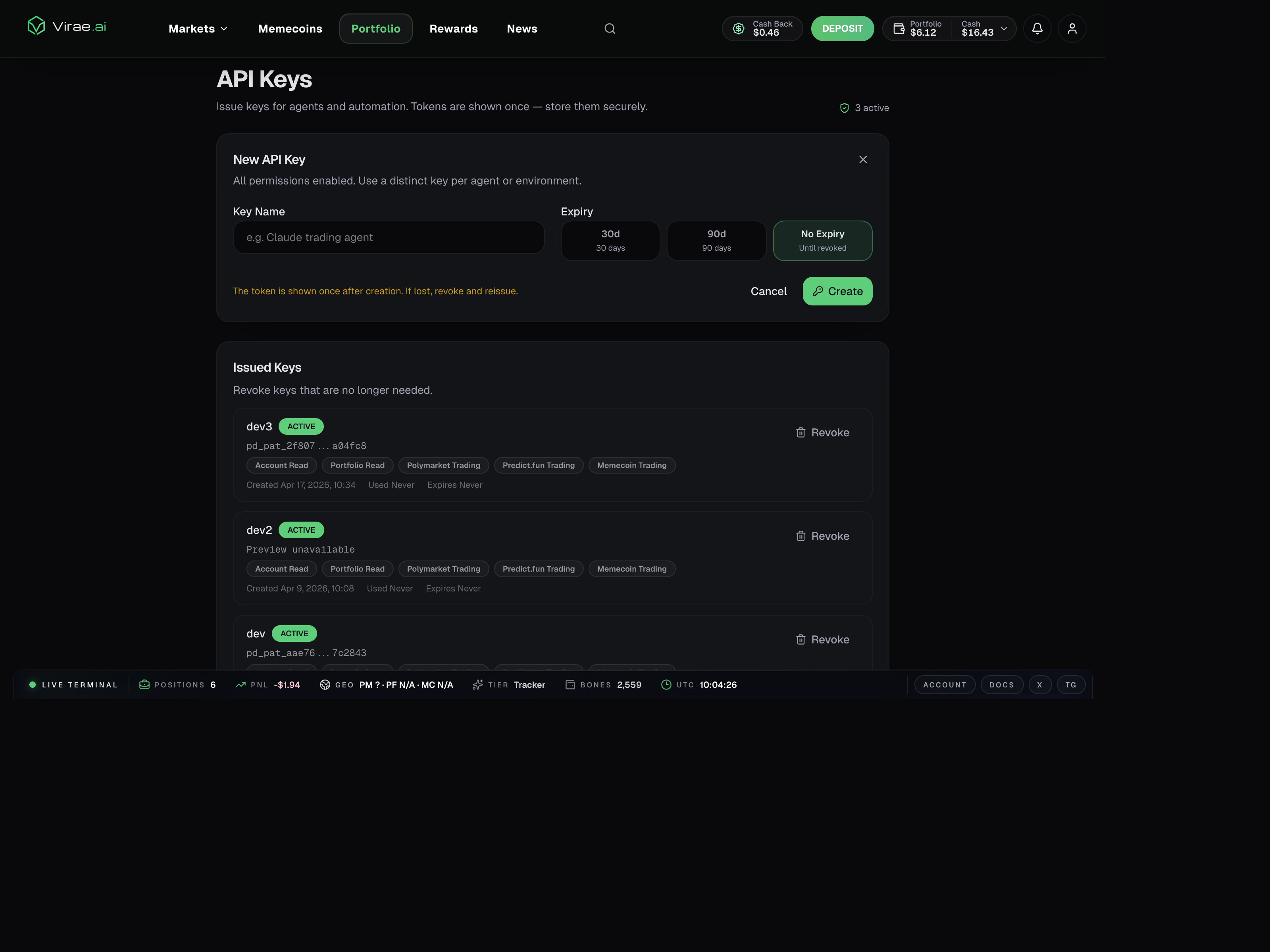
The current web API key page is built specifically for agents and automation. Users can create a named key, choose an expiry, see token previews, and revoke old keys from one place.
Typical use cases
- personal scripts
- internal agents
- automation tools
- lightweight integrations that need account-backed API access
Where to create them
Create and manage keys on web in Settings -> API Keys.
Current UI behavior:
- keys are issued from the signed-in web session
- the raw token is shown only once after creation
- existing keys can be reviewed by name, preview, created time, last-used time, expiry, and status
- keys can be revoked individually when no longer needed
Current scope model
The current web page shows these integration scopes:
account:readportfolio:readtrade:polymarkettrade:predicttrade:memecoin
Today, the product UI presents API keys as full integration credentials for supported user-level routes. Users should still validate the exact route their tool depends on instead of assuming every scope behaves the same way.
Best practice
- Create a key from the web product.
- Test it against a safe read endpoint first.
- Use only the key you need.
- Revoke and rotate immediately if it is exposed.
Safe rollout pattern
Use this progression:
- Mint the key.
- Verify it against a read endpoint such as the authenticated account check.
- Test the exact route your integration needs.
- Only then connect it to an agent or automation workflow.
This reduces confusion between a bad credential and a route-specific behavior mismatch.
Important rule
API keys are for calling supported application routes. They are not a replacement for the signed-in web session used to manage the keys themselves.
Important boundary
API keys are app-user credentials, not wallet-authority credentials.
That means they are the right tool for supported read and trade routes, but not for sensitive wallet-management actions such as withdraw, export, or other fresh-authorization flows.
Common mistakes
- using an API key to manage API keys instead of using the web session
- assuming every route behaves the same way without testing the exact endpoint
- keeping an exposed key alive after it has been pasted into logs, prompts, or the wrong integration