AI Skills And Agents
Virae can be used from AI coding agents and local automation tools through the public HQSV-Labs/predictdog_skill repository.
That repository packages the Virae API into a reusable skill so an agent can search markets, inspect portfolio state, and place supported trades on behalf of the authenticated app user.
:::note Compatibility identifiers
The current GitHub repository, API hostname, package filename, and PREDICTDOG_API_KEY environment variable retain their legacy technical names. Use those identifiers exactly as shown below; they are compatibility contracts, not the current product brand.
:::
What the Virae skill is
The skill is available at HQSV-Labs/predictdog_skill on GitHub.
The skill is designed around one required credential:
PREDICTDOG_API_KEY=pd_pat_your_key_here
It uses the fixed Virae API base URL:
https://api.virae.ai
And it authenticates requests with:
x-api-key: <PREDICTDOG_API_KEY>
What the skill can do
The skill supports:
- search markets
- view wallet and portfolio state
- view open positions and PnL
- place supported trades
- trade recurring crypto rounds on Polymarket, including optional
tp/sl - list and cancel open orders
- claim resolved positions
What each skill does
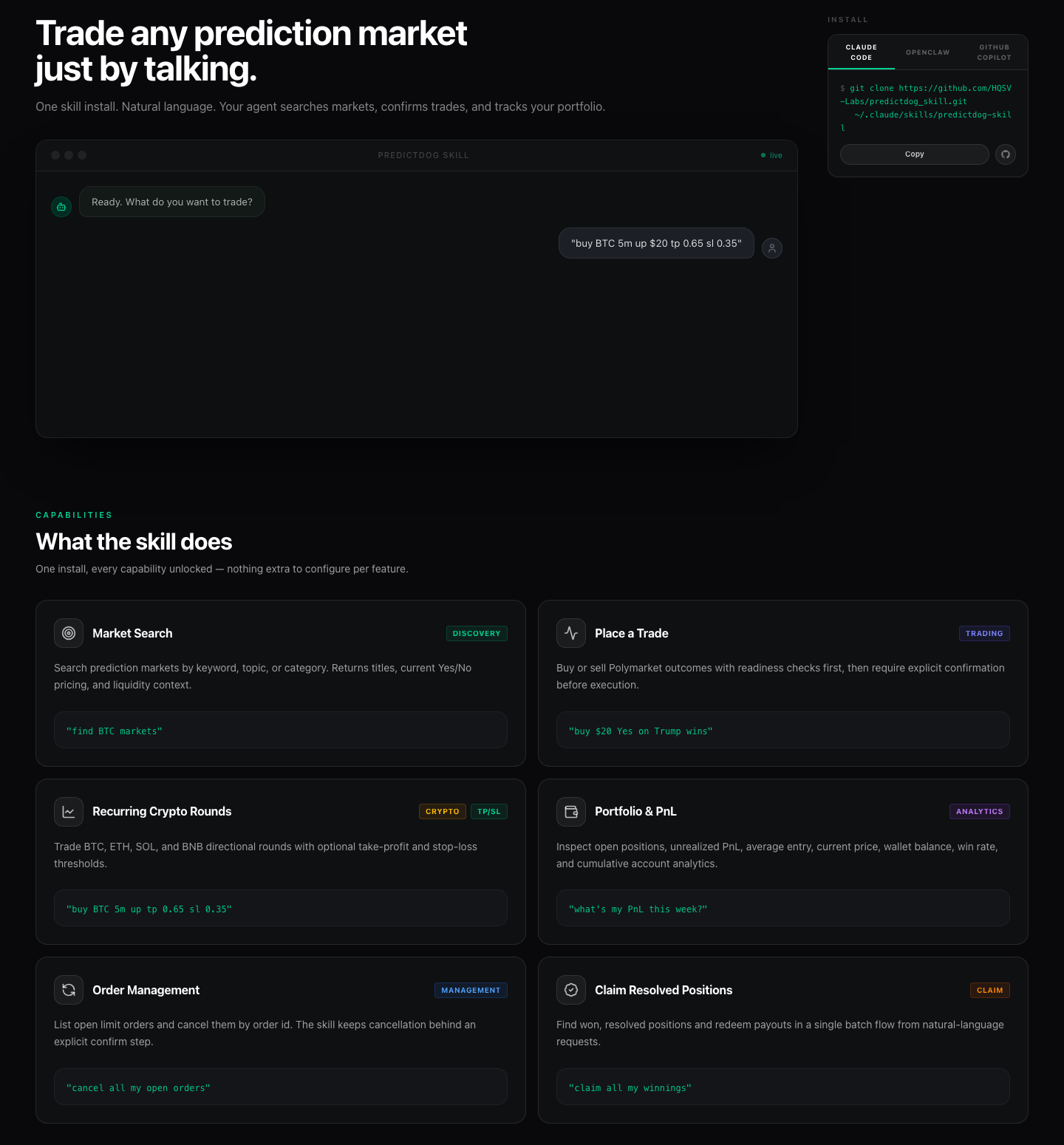
Market Search
Search prediction markets by keyword, topic, or category. Returns titles, current Yes/No pricing, and liquidity context.
"find BTC markets"
Place a Trade
Buy or sell Polymarket outcomes. Readiness is checked before execution; confirmation is always required.
"buy $20 Yes on Trump wins"
Recurring Crypto Rounds
Trade BTC, ETH, SOL, and BNB directional rounds with optional take-profit and stop-loss thresholds.
"buy BTC 5m up tp 0.65 sl 0.35"
Portfolio & PnL
Inspect open positions, unrealized PnL, average entry, current price, wallet balance, win rate, and cumulative account analytics.
"what's my PnL this week?"
Order Management
List open limit orders and cancel them by order ID.
"cancel all my open orders"
Claim Resolved Positions
Find won, resolved positions and redeem payouts in a single batch flow from natural-language requests.
"claim all my winnings"
What the skill does not do
The skill does not manage deposits or withdrawals. For funding, wallet recovery, or account setup, use Virae web.
Before installing any skill
Do these steps first:
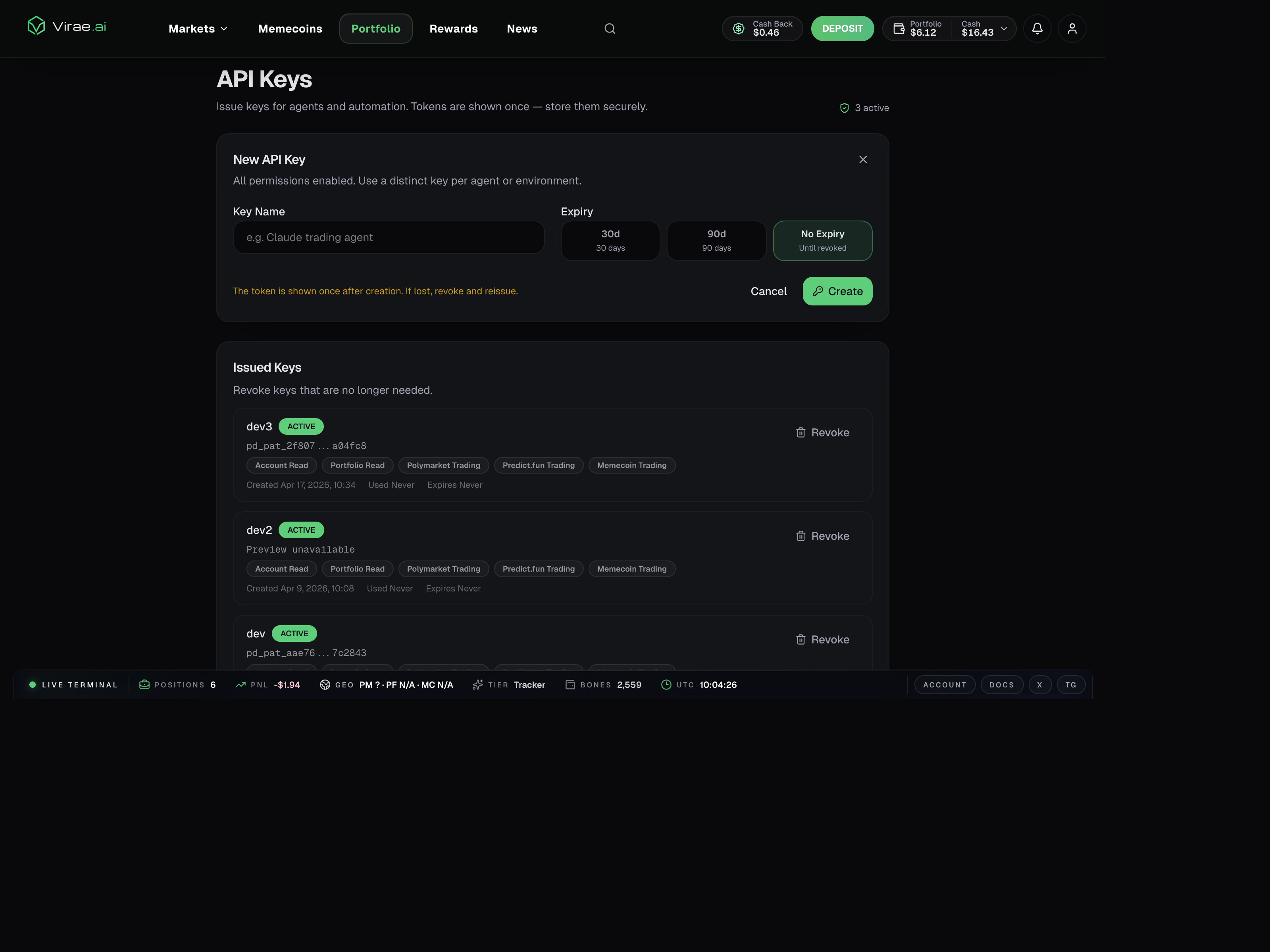
- Create or log into your Virae account.
- Complete wallet setup on web if your account is not ready.
- Deposit funds if the workflow will trade.
- Open
Settings -> API Keys. - Create a dedicated API key for the agent, machine, or environment.
Supported installation paths
The public repository documents native installation for Claude Code and OpenClaw. Other agent tools can use the same skill content if they support local skill folders or custom agent instructions.
| Tool or platform | Recommended install path | Notes |
|---|---|---|
| Claude Code | Native skill install | Best documented path today |
| OpenClaw | Native skill install | Supported in the public repo |
| GitHub Copilot in VS Code | Workspace skill adaptation | Good option for teams working in one repo |
| Other agent frameworks | Manual adaptation | Reuse the repo content as system instructions or a local skill package |
Install on Claude Code
Option 1: install the packaged release
curl -L https://github.com/HQSV-Labs/predictdog_skill/releases/latest/download/predictdog-skill.skill \
	-o predictdog-skill.skill

unzip predictdog-skill.skill -d ~/.claude/skills/
Option 2: clone the repository directly
git clone https://github.com/HQSV-Labs/predictdog_skill.git ~/.claude/skills/predictdog-skill
After installation, make sure the PREDICTDOG_API_KEY environment variable is available in the shell or app session Claude Code uses.
Install on OpenClaw
You can install by cloning the repo into the OpenClaw skills directory:
git clone https://github.com/HQSV-Labs/predictdog_skill.git ~/.openclaw/skills/predictdog-skill
If your OpenClaw setup exposes a skill installer command, the repo also documents this form:
openclaw skills install github:HQSV-Labs/predictdog_skill
As with Claude Code, the environment where OpenClaw runs must have access to PREDICTDOG_API_KEY.
Use with GitHub Copilot in VS Code
GitHub Copilot can work with skill-style customizations too, but the install model is different from Claude Code.
For Copilot, the practical path is usually a workspace skill rather than a global user-level skill. A typical layout is:
.github/
	skills/
		virae/
			SKILL.md
			references/
Recommended setup:
- Create a workspace folder at
.github/skills/virae/. - Copy
SKILL.mdfrom the publicpredictdog_skillrepo into that folder. - Copy any supporting docs under
references/if your workflow needs them. - Open the workspace in VS Code with GitHub Copilot enabled.
- Ask Copilot to use the Virae skill for trading or portfolio workflows.
This approach is useful when:
- a team wants the same skill available inside one repository
- you want the skill versioned alongside code
- you want to tailor the description or references for your own workflow
Use with other AI agent tools
Tools that don't support the standard skill packaging format can still use the repository via manual adaptation.
The usual pattern is:
- take the instructions from
SKILL.md - preserve the required environment variable name
PREDICTDOG_API_KEY - preserve the fixed base URL
https://api.virae.ai - preserve the safety rules around confirmation and no fund transfers
- load that content into the tool's equivalent of a local skill, tool prompt, or agent instruction
This manual path works well for:
- agent frameworks that support custom system prompts
- internal automation tools with a plugin or prompt layer
- local wrappers that translate natural language into Virae API calls
Set the API key on different platforms
The simplest pattern is to export the key before starting your agent.
macOS and Linux with bash or zsh
export PREDICTDOG_API_KEY=pd_pat_your_key_here
fish shell
set -x PREDICTDOG_API_KEY pd_pat_your_key_here
Windows PowerShell
$env:PREDICTDOG_API_KEY = "pd_pat_your_key_here"
If your agent runs inside a desktop app, terminal multiplexer, container, or hosted runner, make sure the variable is set in that runtime context rather than only in one local shell tab.
Example usage
Once installed, send plain-language requests:
search for NBA finals markets
what's my portfolio?
buy $10 Yes on Spurs winning the NBA Finals
buy BTC 5m up
buy BTC 5m up tp 0.65 sl 0.35
show my open orders
what's my PnL?
In practice, a safe rollout is:
- start with a read query such as portfolio or market search
- confirm the agent is talking to the expected account
- only then enable trade requests
Readiness failures you may see
The current skill guidance calls out these common readiness states:
WALLET_NOT_INITIALIZEDINSUFFICIENT_BALANCEAPPROVALS_PENDING
In plain language, these usually mean:
- finish wallet setup on Virae web
- deposit funds into the correct balance rail
- complete the remaining approval or readiness step on web
This is why an API key alone is not enough to guarantee a trade-ready account.
Security and operating rules
Treat the skill as an integration layer, not as wallet authority.
- API keys authenticate supported Virae app routes.
- API keys do not replace custody or wallet ownership.
- API keys do not replace fresh authorization for sensitive wallet-management actions.
- Each agent or environment should get its own key.
- Revoke and reissue a key immediately if it appears in logs, prompts, screenshots, or the wrong machine.
The skill itself should also keep these boundaries:
- confirm before placing trades
- confirm before cancelling orders
- never use the skill for deposits or withdrawals
- redirect users to Virae web for funding and account recovery flows
Recommended team rollout
For teams introducing Virae to internal agents, the clean rollout pattern is:
- one API key per environment
- validate safe read endpoints first
- confirm the skill is bound to the intended account
- enable trading only after explicit confirmation behavior is verified
- document where funding and support actions still require the web app
This keeps the operational boundary clear between automated read and trade flows on one side, and account-management or wallet-management flows on the other.